
How to Delete Your Account
- 1
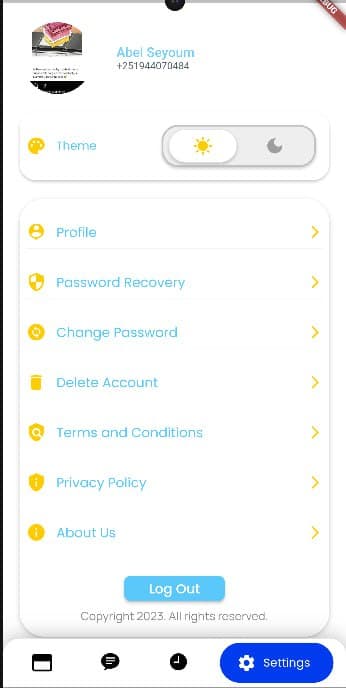
Step 1: Go to the Settings Tab
Open the Mamito app and navigate to the Settings tab from your profile.
- 2
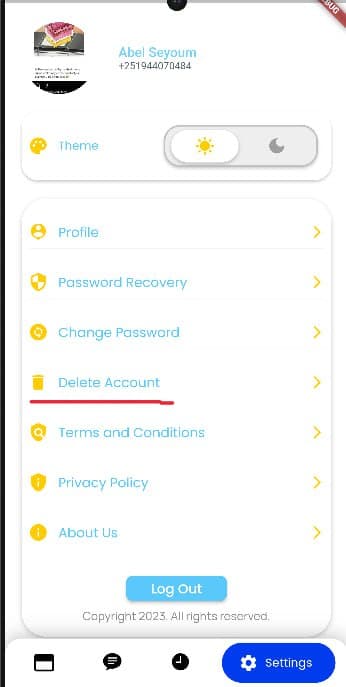
Step 2: Tap on Delete Account
Scroll down to find the Delete Account option and tap on it.
- 3
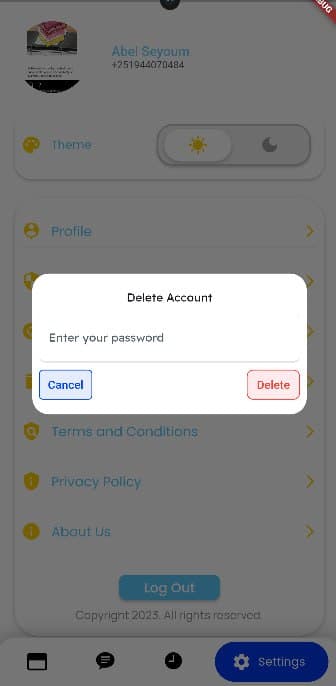
Step 3: Enter Your Password
Confirm your identity by entering your password in the dialog that appears.
- 4
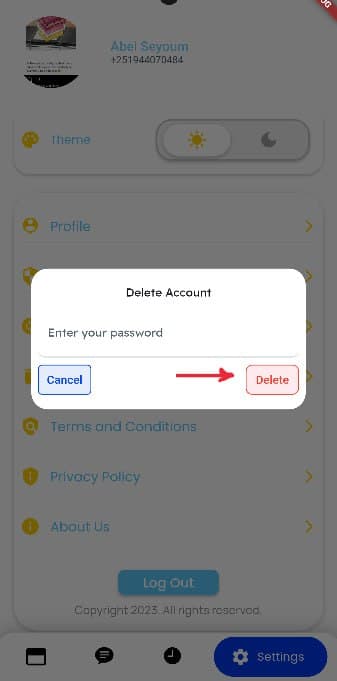
Step 4: Tap on Delete
Confirm by tapping Delete to permanently remove your account.
You have successfully deleted your account. Please note that you will no longer be able to log in with this account, and all your data associated with it will be permanently removed. If you wish to use our services again, you will need to create a new account.